A booking's audit history
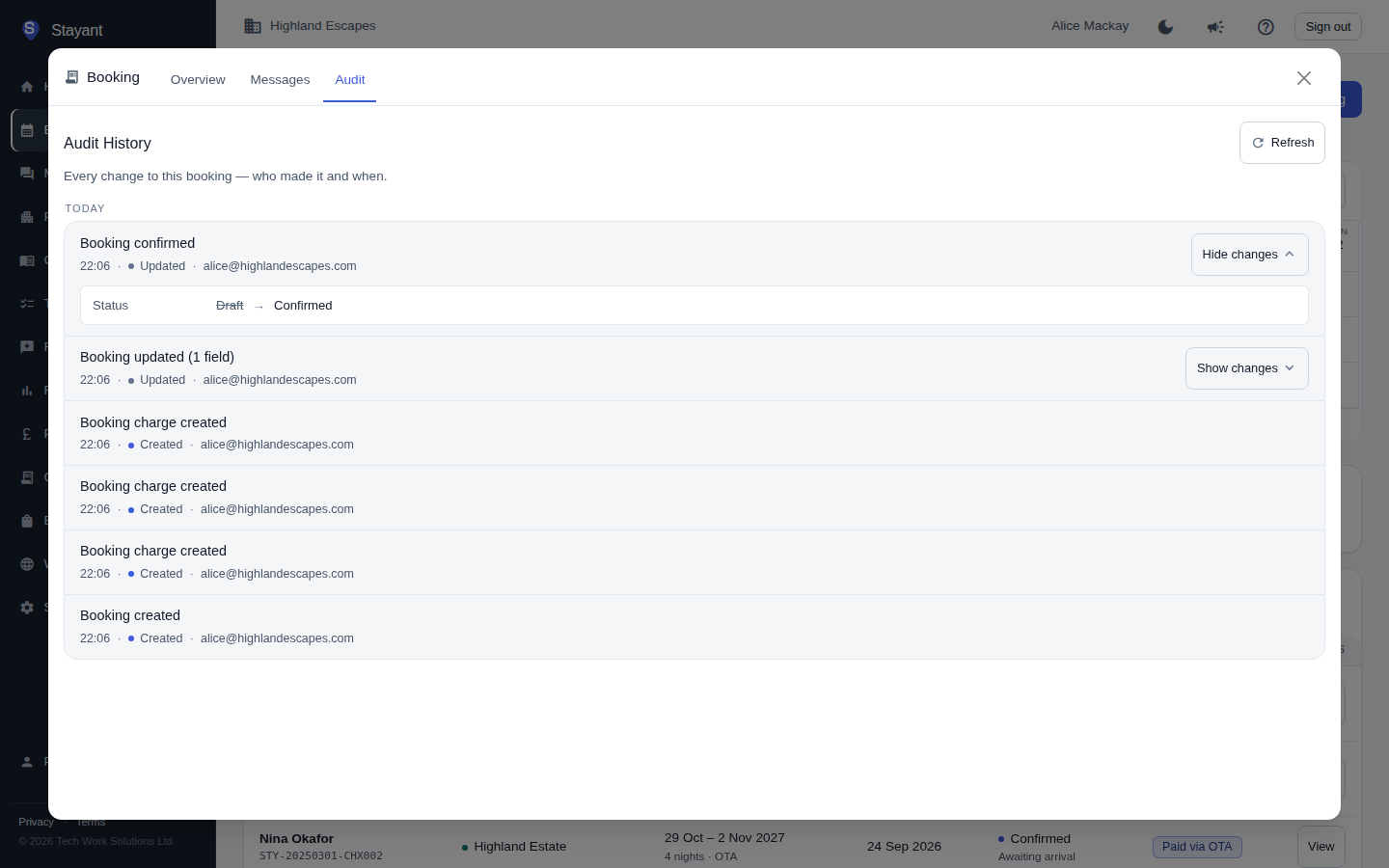
Every booking keeps a complete, permanent record of what happened to it and who did it. Open a booking and select the Audit tab — the third tab, next to Overview and Messages — to see the full history, newest first, grouped by day (Today, Yesterday, then the date).
What's recorded
The audit history captures every meaningful change to the booking:
- Field changes — guest details, dates, guest counts, notes, discounts, tax and total overrides, and more. Each entry says how many fields changed; select Show changes to see the exact old → new values.
- Status changes — when a booking is confirmed or cancelled, it appears as a clear Booking confirmed or Booking cancelled event rather than a generic edit.
- Payments — every payment recorded against the booking: manual entries (cash, card, cheque, bank transfer), online Stripe and PayPal payments, and automatic balance charges.
- Refunds — any refund issued back to the guest, with the amount and the processor used.
Who made the change
Each entry's second line shows the time, the kind of change (Created, Updated, Payment, Refund, Payment removed, Deleted) and the person who made it — the email address of the signed-in team member. When a change was made automatically by Stayant itself — an incoming channel booking, a Stripe webhook confirming a payment, or a scheduled auto-charge — it is attributed to System so you can always tell apart a person's action from an automated one.
Reading the details
For any event that changed one or more fields, Show changes opens the entry to list each changed field with its old value struck through and its new value beside it — for example Status: Draft → Confirmed. Dates and times are shown in your local time, and an empty value shows as a dash. Select Hide changes to close it again. On a phone the button is a small arrow beside the entry.
Sensitive values (such as secret keys) are shown only as Hidden, never with their actual contents.
Use the Refresh button to pull in the latest events, and the pager at the bottom to move through a long history.
Booking history is kept permanently. Unlike the general account-wide audit log (under Settings), a booking's audit history is never trimmed by retention — so you always have the full story for every booking, however old.