Room and rate on a booking
If a property has more than one active room, a booking needs to say which room the guest is staying in and which rate plan it was booked at — not just which property. Stayant shows this Room and Rate information everywhere a booking is displayed: the staff booking detail view, the Bookings list, the dashboard's recent-bookings table, the guest's confirmation and invoice emails, and the guest portal.
Staff booking detail
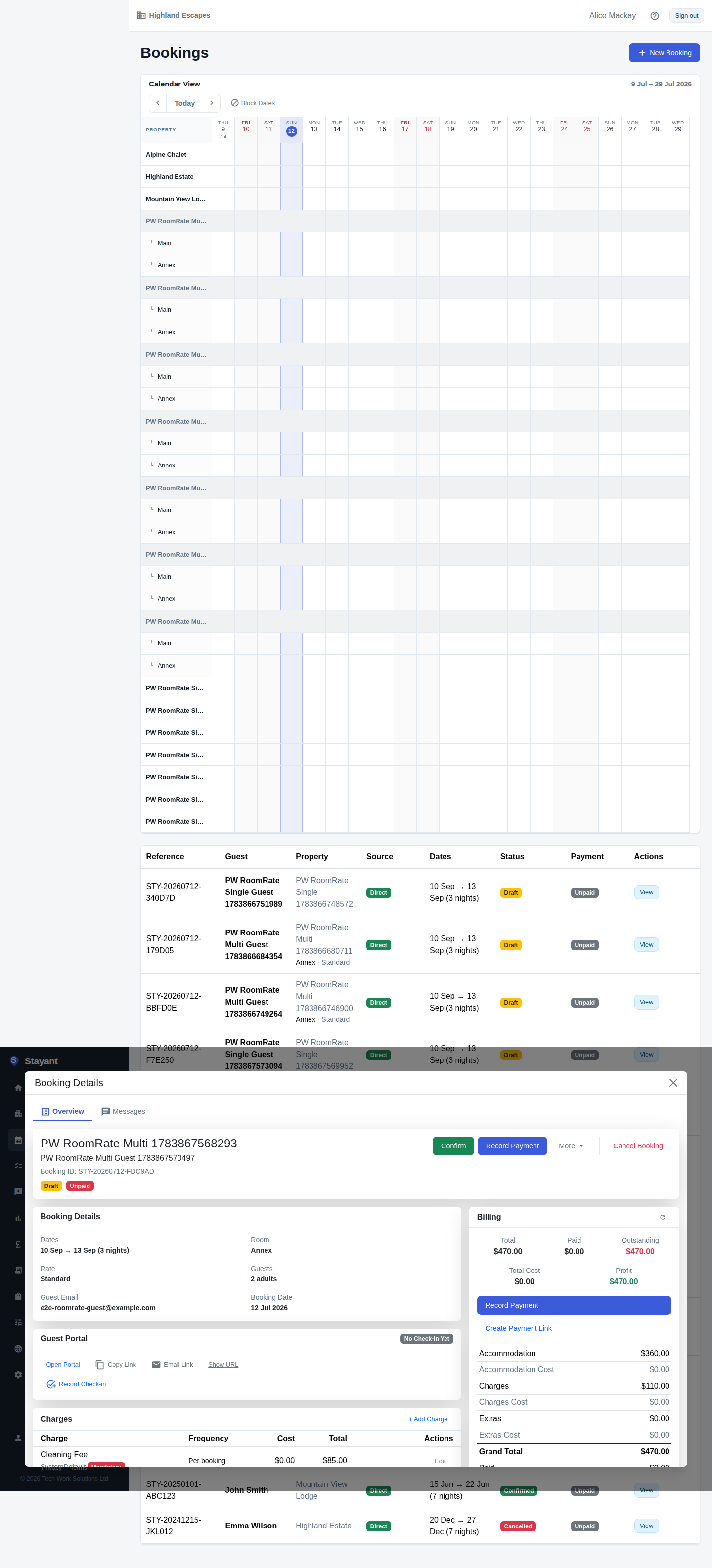
Open a booking on a multi-room property and the booking's details card (at the top of the
Overview tab) shows Room and Rate alongside the dates and guest counts. The Bookings list shows the room and rate
under the property name (Annex · Standard in this example), and on the calendar each room gets
its own sub-row labelled with the room name — so you can tell rooms apart at a glance without
opening each booking.
The dashboard's Recent bookings table shows the room name next to the property name (beneath the guest's name) for the same reason.
Guest confirmation and invoice emails
When a booking is on a multi-room property, its booking confirmation and invoice emails include the room and rate plan alongside the stay dates, so the guest has it in writing which room they booked.
Guest portal
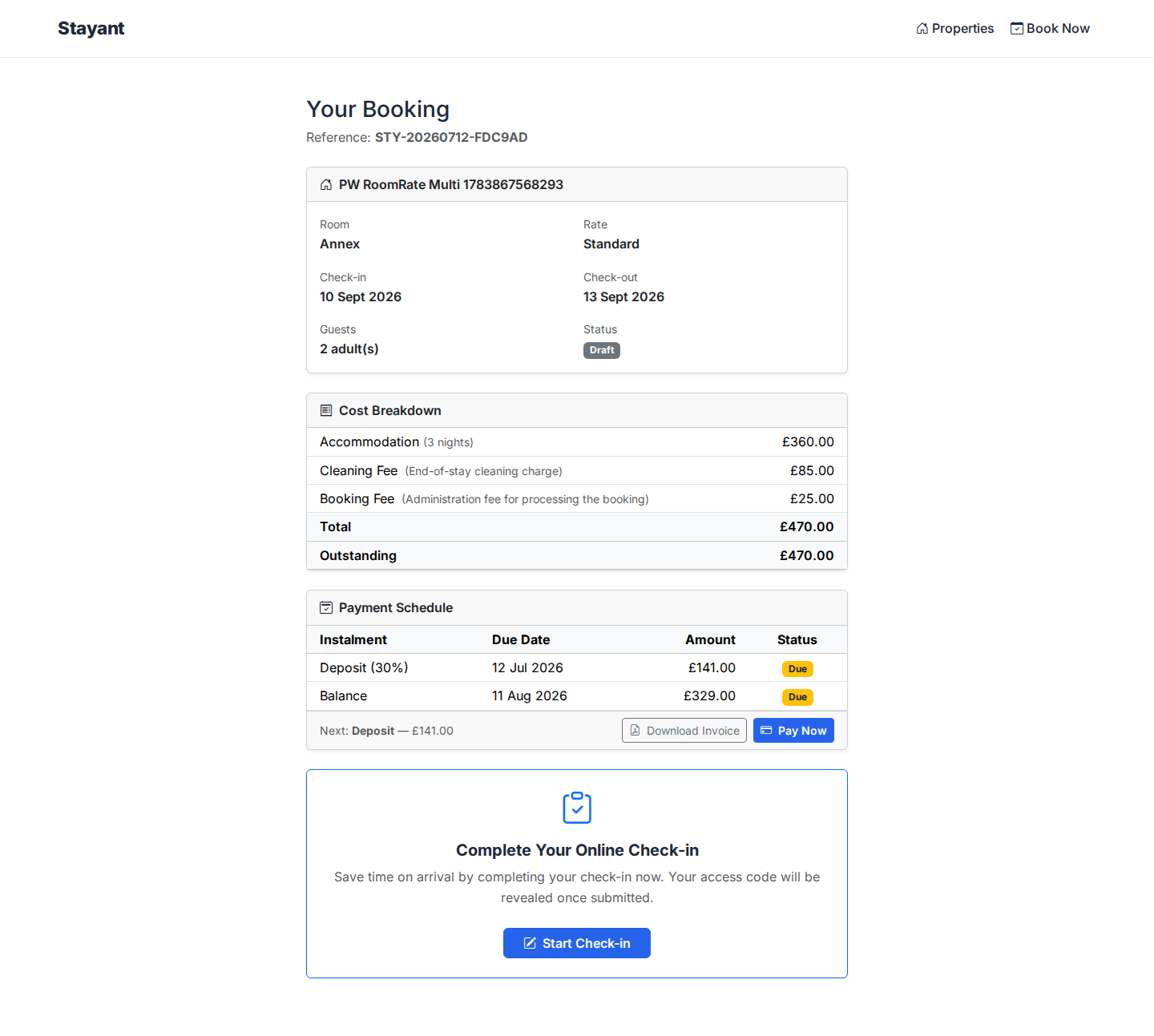
The guest's check-in/booking portal shows the same Room and Rate fields next to Check-in and Check-out.
Single-room properties are unchanged
This only appears once a property has more than one active room — the point at which "which room?" becomes a real question. On a single-room property, the property is the room, so the room/rate fields don't show anywhere (staff views, emails, or portal); nothing about how those bookings look has changed.
Common gotchas
- Rate can be blank even when Room shows. If a booking's rate plan can't be resolved (rare — mainly very old bookings from before rate plans were recorded per booking), the Room field still appears but Rate is omitted. This is expected, not a bug.
- Whether the fields show is decided by room count on the property, not by how many rate plans a room has. A multi-room property where every room only offers one rate plan still shows the Room and Rate fields.