Booking invoices
Stayant can produce a PDF invoice for any booking. Invoices are managed from the More menu in the header of the booking's Overview tab (open a booking from Bookings → View).
Generate an invoice
- Open the booking.
- Click More in the header.
- Click Generate Invoice ①.
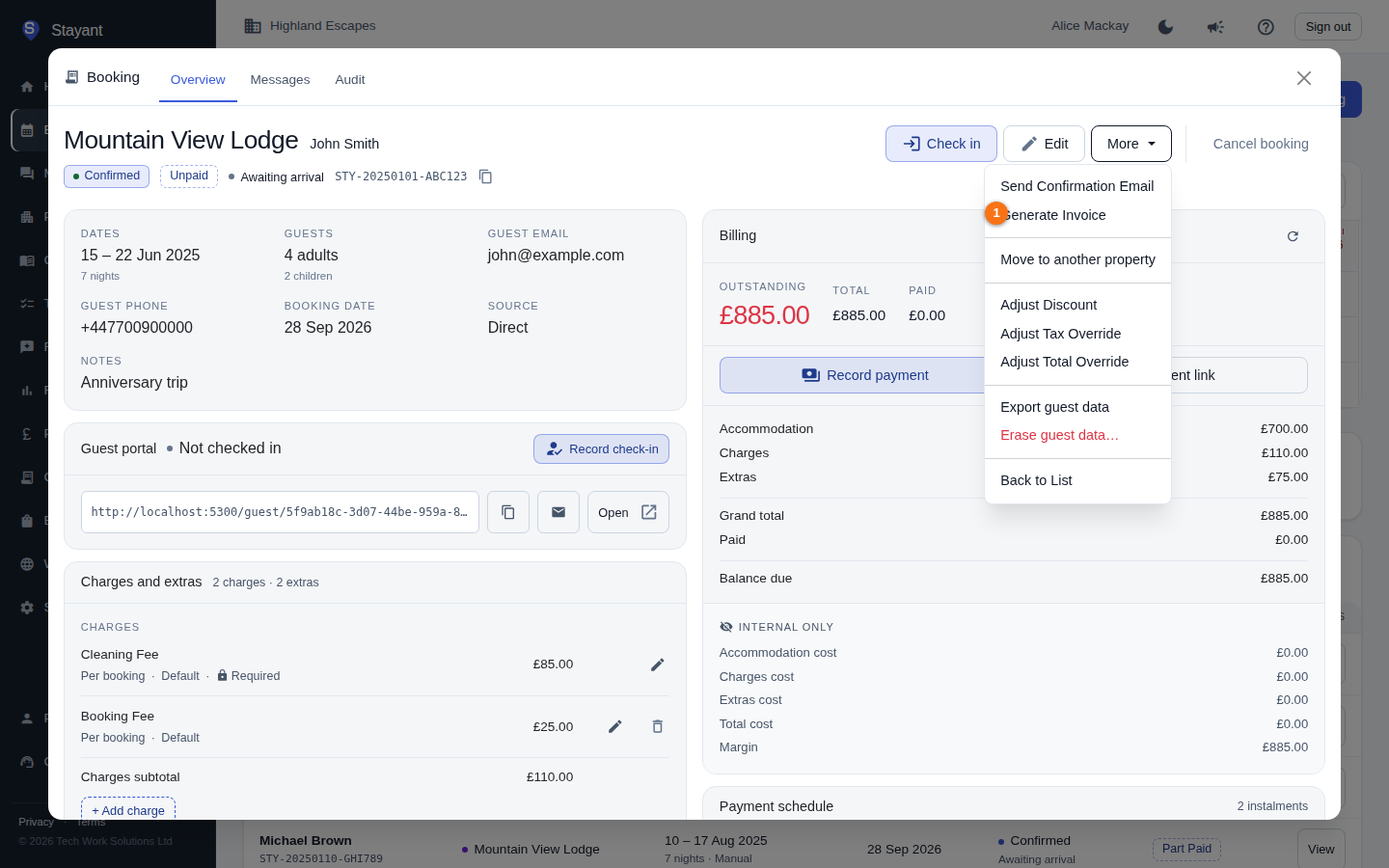
Once an invoice has been generated, the same menu also shows Download Invoice PDF and Email Invoice (see below).
The invoice is created from the booking's current totals — accommodation, charges, extras, any discount, and tax. Once generated, the same menu item changes to Regenerate Invoice.
Download the PDF
After generating, open More again and click Download Invoice PDF. The PDF downloads to your device, named after the booking reference.
Email the invoice to the guest
- Open More and click Email Invoice.
- Check the recipient address shown in the dialog (the guest's email).
- Click Send Email.
You'll see a confirmation that the email has been queued for delivery.
Keeping the invoice current
The invoice reflects the booking's totals at the time it was generated. If you later add a charge, apply a discount, or change a total override, Regenerate Invoice to pick up the new figures before downloading or emailing it again.
Common gotchas
- Download and Email only appear after generating. The Download Invoice PDF and Email Invoice options are hidden until an invoice exists — generate it first.
- Stale totals. If a guest queries an amount, regenerate the invoice so it matches the latest Billing figures.