Deposit & final-payment schedules
A payment schedule splits a booking into a deposit taken at the time of booking and a balance due closer to arrival. Set the default here; individual bookings can override it.
Open Settings → Payment schedule (/settings/payment-schedule).
Turning the schedule on
By default the schedule is off. The card shows the Enable payment schedule toggle (①) and the Booking Terms & Conditions box (②). A third switch, Automatically charge cards saved from channel bookings (Booking.com etc.) on their due dates, also lives on this card; it's off by default — see Channel-booking cards and auto-charge. When the toggle is off, guests pay the full amount at the time of booking.
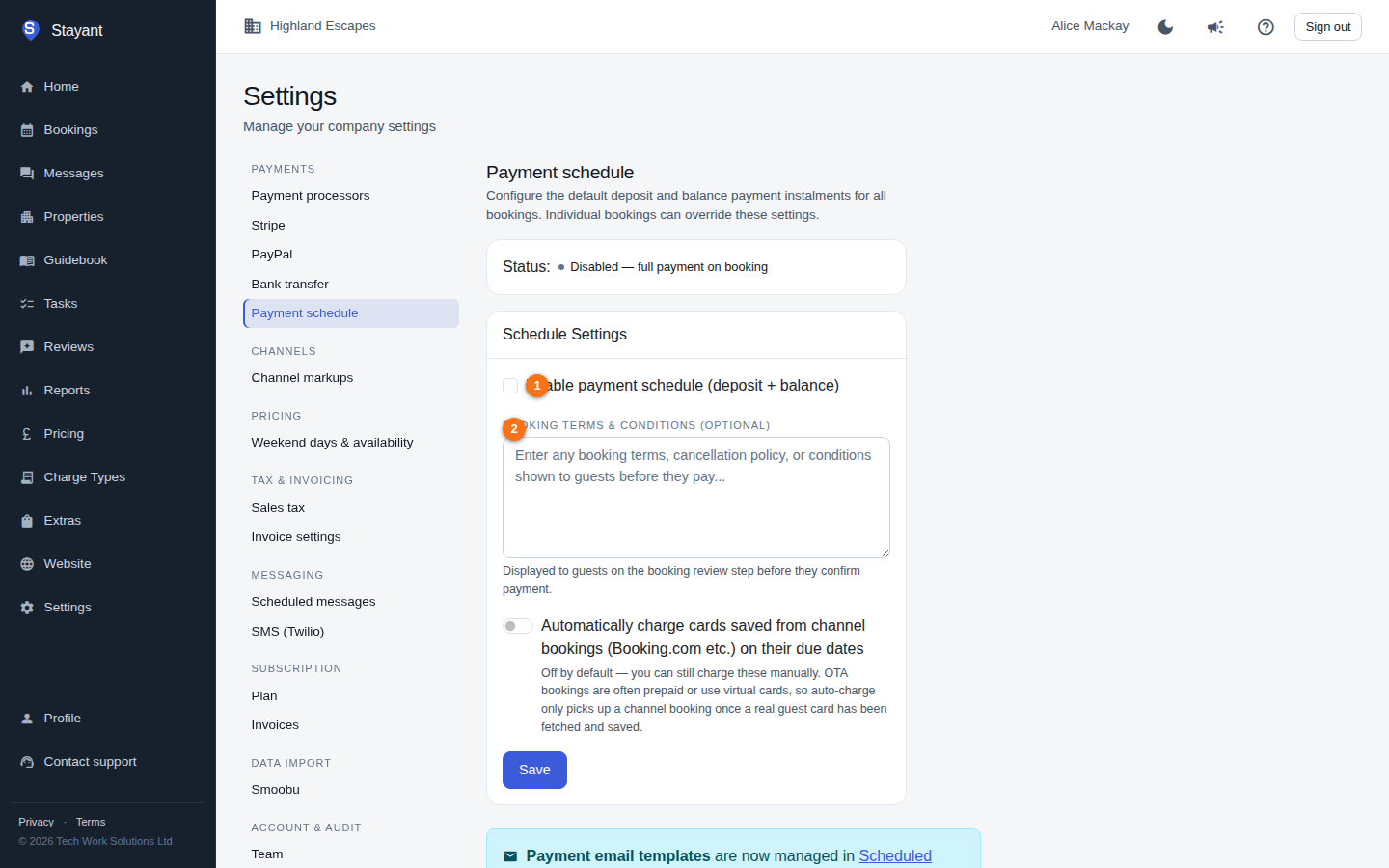
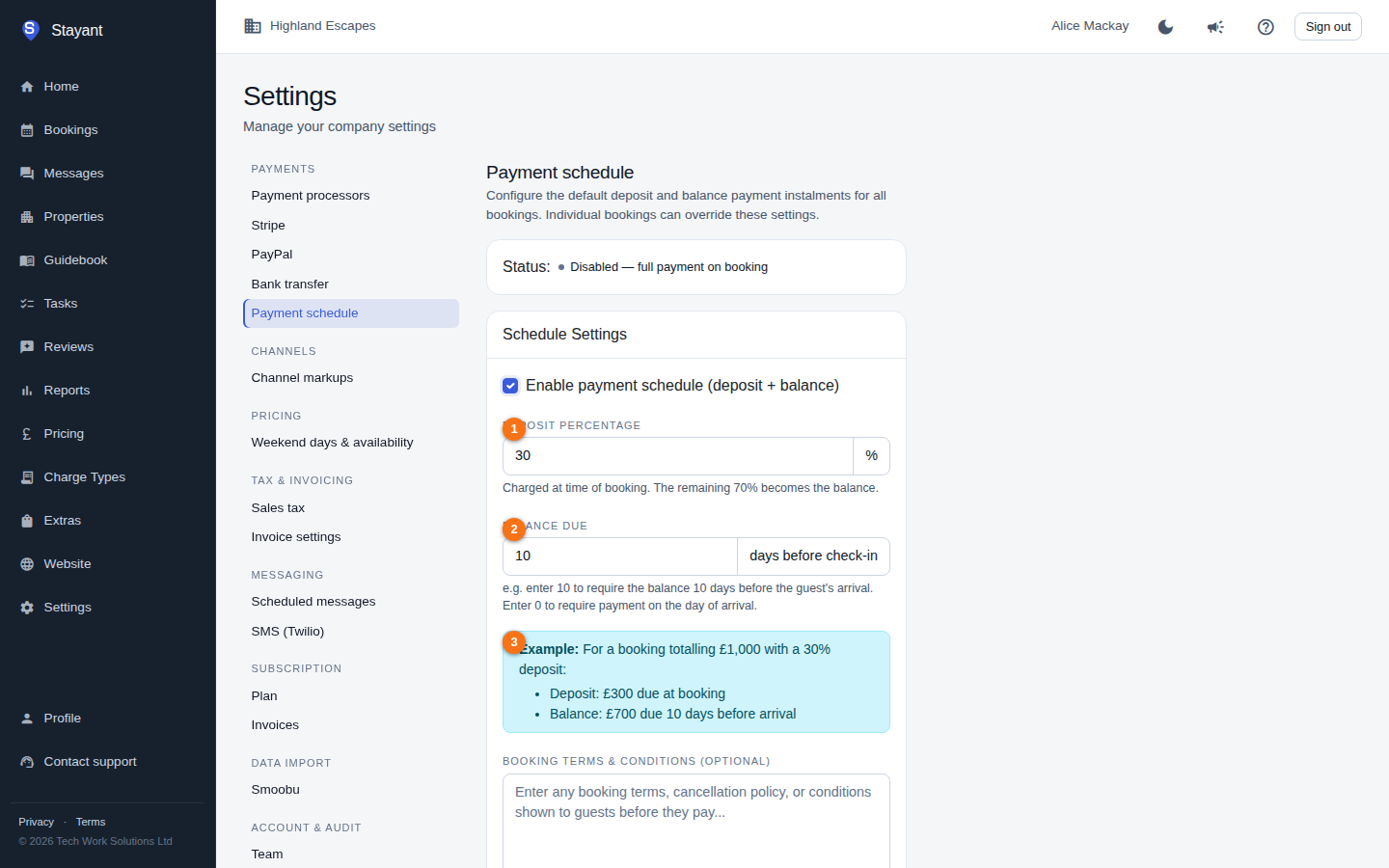
Tick Enable payment schedule (deposit + balance) (①) and two more settings appear:
- Deposit Percentage (①) — the share of the total charged at booking (1–99%). Stayant shows the remaining percentage that becomes the balance as you type.
- Balance Due (②) — how many days before check-in the balance is required. Enter
0to require payment on the day of arrival.
As you adjust these, a worked Example (③) shows how a £1,000 booking would split into a deposit due at booking and a balance due the chosen number of days before arrival.
Booking terms & conditions
The Booking Terms & Conditions box (②, in the first screenshot) holds any terms, cancellation policy, or conditions you want guests to see. This text is displayed on the booking review step, before the guest confirms payment. It's available whether or not the deposit/balance schedule is enabled.
Click Save to apply. The status badge summarises the current setup — for example "Enabled — 30% deposit, balance 10 days before arrival" — or "Disabled — full payment on booking".
Payment emails
Emails related to the schedule (payment receipts, final-payment reminders, and overdue notices) are not configured here. They live under Settings → Scheduled messages, using the PaymentReceived, FinalPaymentReminder, and BalanceOverdueDaily trigger types. This page links across to that area.
A guest gets one final-payment reminder per due date, not one per instalment. If a
booking has two instalments falling due on the same day, they're covered by a single email
whose {{PaymentAmount}} is the combined outstanding total for that date — which is what
the guest actually has to pay that day. Instalments due on different dates still get a
reminder each.
Refunds and OTA-collected money
The amount a reminder asks for — and the amount an automatic card charge takes — is what is still owed on that instalment after refunds and after any money the OTA collected:
- If you refund a payment, the instalment it covered is owed again, and the next reminder and automatic charge include it.
- If a channel (for example Booking.com) collected part of the stay, only the rest is reminded about or charged — the guest is never asked to pay again for what the channel took.