Sales tax
Set up a single company-wide sales tax — for example UK VAT — that applies across your bookings. You can opt individual properties, charge types, and extras out of it where needed.
Open Settings → Sales tax (/settings/sales-tax).
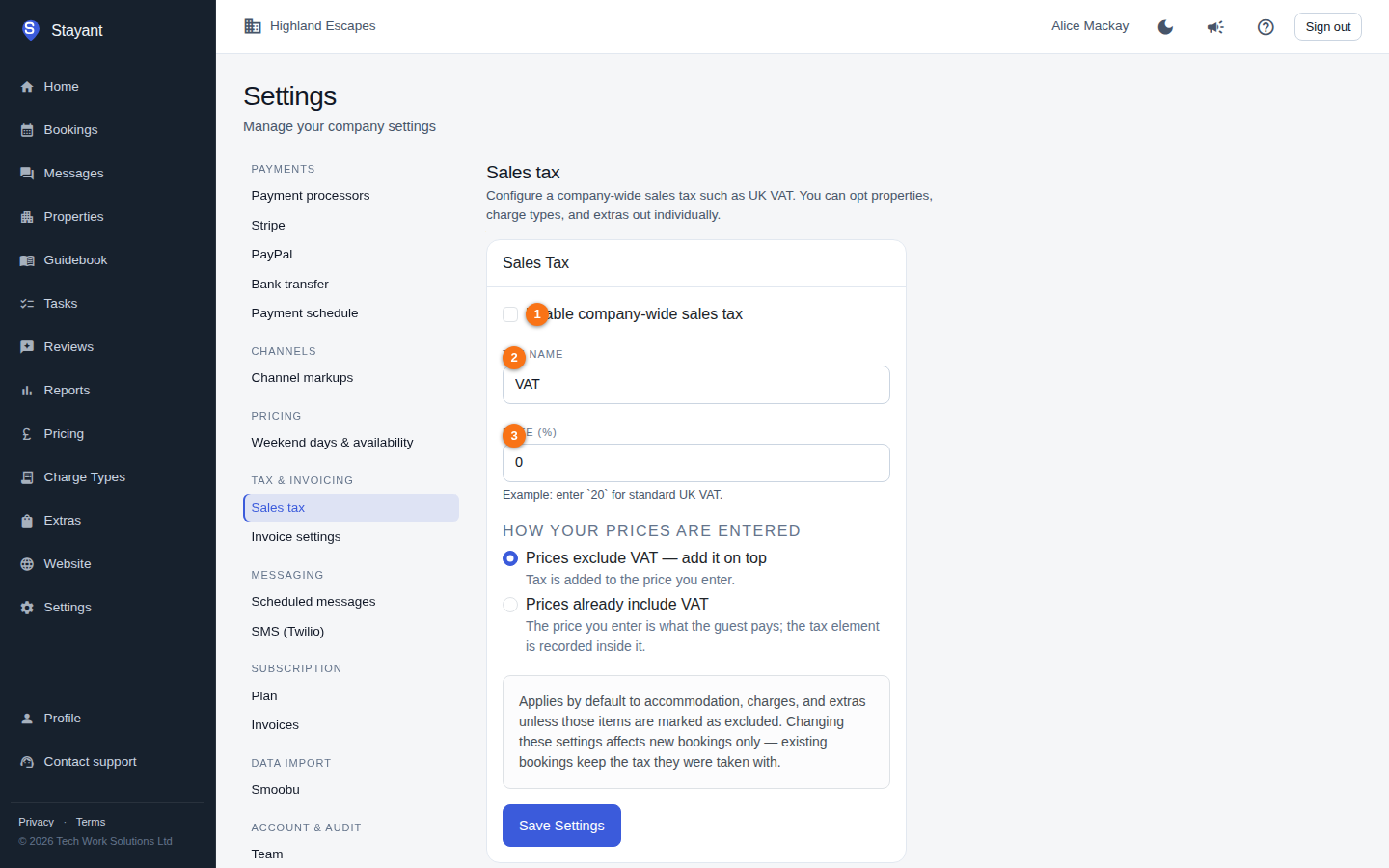
Configuring the tax
In the Sales Tax card:
Tick Enable company-wide sales tax (①).
Tax Name (②) — the label shown to guests and on invoices (e.g.
VAT). Defaults to VAT.Rate (%) (③) — the percentage rate, with up to two decimal places. For standard UK VAT, enter
20.How your prices are entered — choose one:
- Prices exclude VAT — add it on top (the default). The tax is added to the prices you set; with a 20% rate, a £100.00 price becomes £120.00 for the guest.
- Prices already include VAT. The price you set is what the guest pays, and the tax is recorded inside it; with a 20% rate, a £100.00 price stays £100.00, of which £16.67 is VAT.
(The option labels use your Tax Name.)
Click Save Settings to apply. Changes affect new bookings only — existing bookings keep the tax they were taken with.
Connected booking channels. If OTA pricing is switched on for your account, the page shows a note that changes here are published to your connected booking channels (such as Airbnb and Booking.com). Switching between "exclude" and "include" then asks you to confirm first, because it changes what channel guests pay — for example, switching to "include" means channel guests are no longer charged the tax on top unless you raise your prices at the same time.
What the tax applies to
By default the tax applies to accommodation, charges, and extras. Individual items can be marked as excluded, in which case the tax is not added to them — so you can, for example, leave certain properties, charge types, or extras tax-free while everything else is taxed.
This page sets a single rate. There is no support here for multiple tax bands — the rate you enter is applied to the items that aren't excluded.