Delete your account
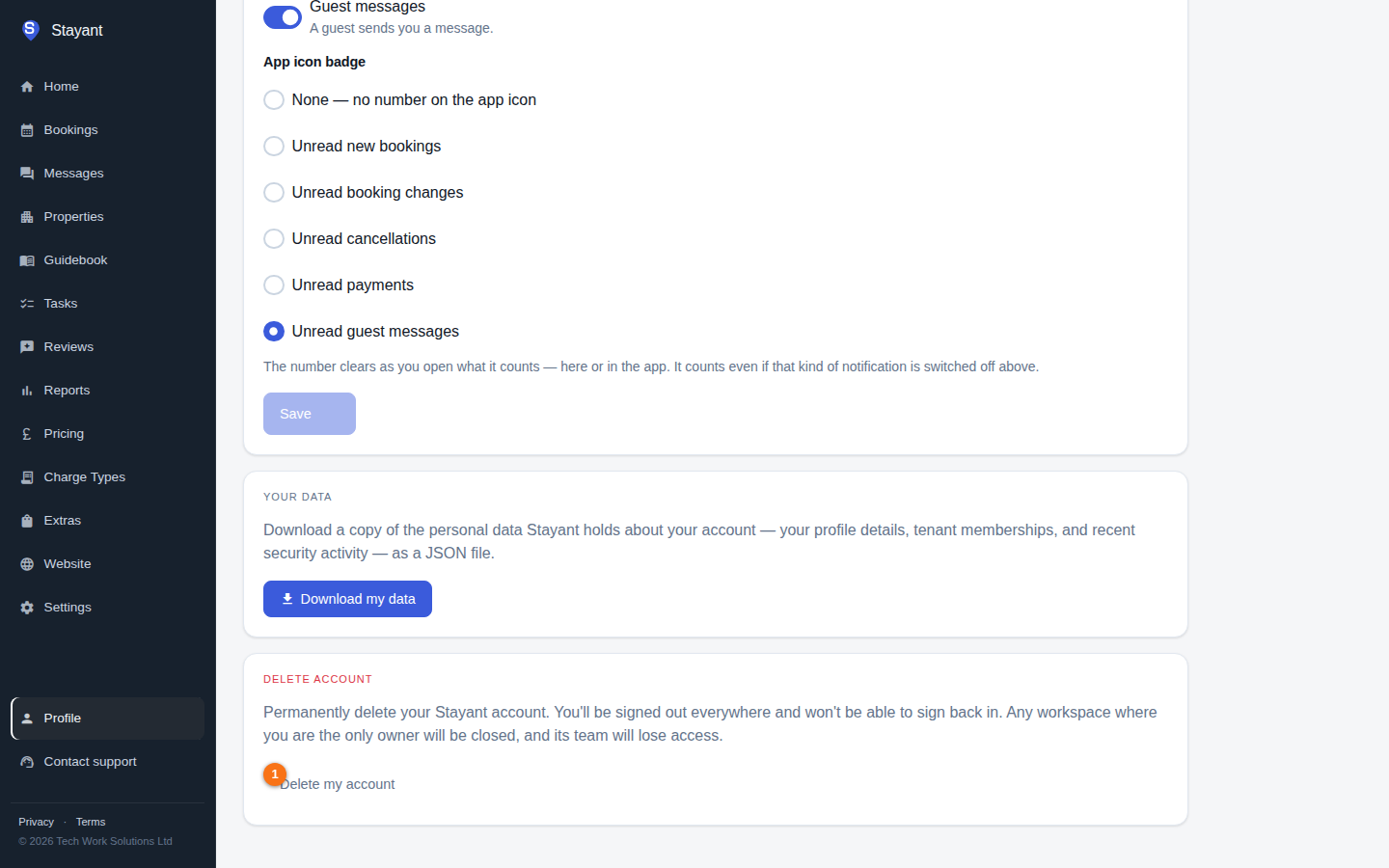
You can permanently delete your Stayant account yourself, on the web or in the Stayant iPhone app. Open My Profile (Profile at the bottom of the sidebar, or More → Profile in the app) and scroll to the Delete account card at the bottom.
Before you start
- Workspaces you own on your own close. If you are the only owner of a workspace, deleting your account closes it: its subscription is cancelled straight away and everyone else in that workspace loses access. Its properties are also closed on every connected booking channel (Airbnb, Booking.com and the others you connected), so no new bookings come in. If you want the business to carry on, make someone else an owner first (see Team members).
- Other workspaces carry on. Where there is another owner, or you're an admin, manager or staff member, you are simply removed and the workspace keeps running.
- Platform administrators can't delete their own account; another administrator must remove their admin access first.
- Want a copy of your personal data first? Use Download my data in the Your data card.
Deleting your account
- Click Delete my account.
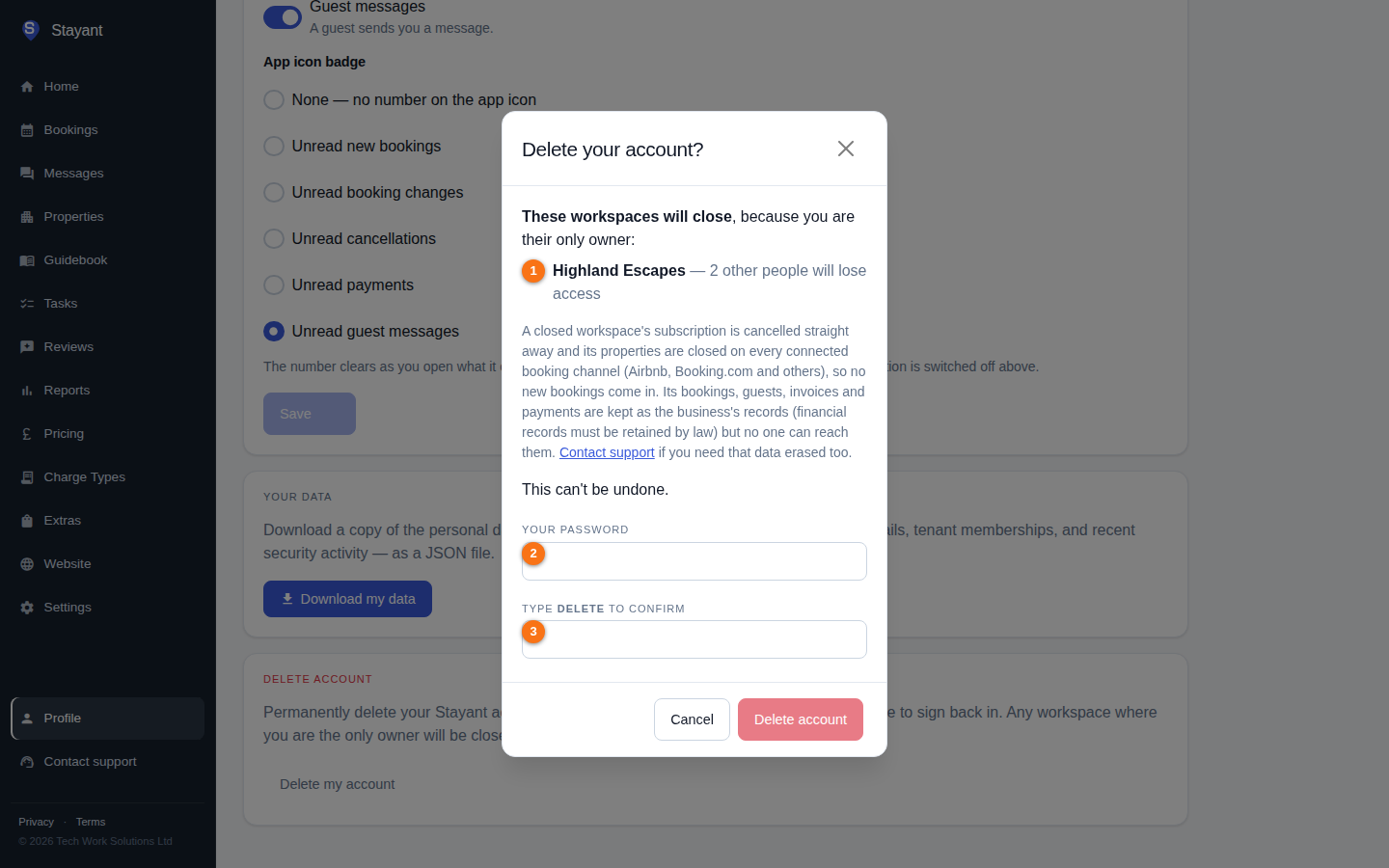
- Check the list: the dialog shows which workspaces will close (①) and how many other people will lose access, and which you'll just be removed from.
- Re-enter your password (②). If you use two-factor authentication, also enter the current code from your authenticator app.
- Type DELETE in the confirmation box (③), then click Delete account.
If the list changes while the dialog is open — for example another owner is added or removed — Stayant shows you the updated list and asks you to confirm again. After several wrong passwords or codes, deletion (and signing in) is paused for a few minutes, just as on the sign-in page.
You're signed out everywhere and returned to the sign-in page with the message Your account has been deleted. This can't be undone — but your email address is free again, so you can sign up afresh at any time.
What happens to your data
- Your account — your name, email address, password and two-factor settings are erased. The account record itself is kept only as an anonymous placeholder so that history such as the audit log and completed tasks stays consistent. Any pending invitations sent to your email address are cancelled.
- A closed workspace's records — its bookings, guests, invoices and payments belong to the business and are kept, because financial records must be retained by law. No one can reach them once the workspace is closed. If you need that data erased as well, contact support and we'll complete the erasure for you.