What your site does for search and sharing
Google, Bing and chat apps all read the same few things from each page of your booking site: its title, a short description, its main heading and a picture to show when someone shares a link. Your site now gets these right on every page by itself, using your properties and three settings in Website → Website Settings → SEO.
The three settings
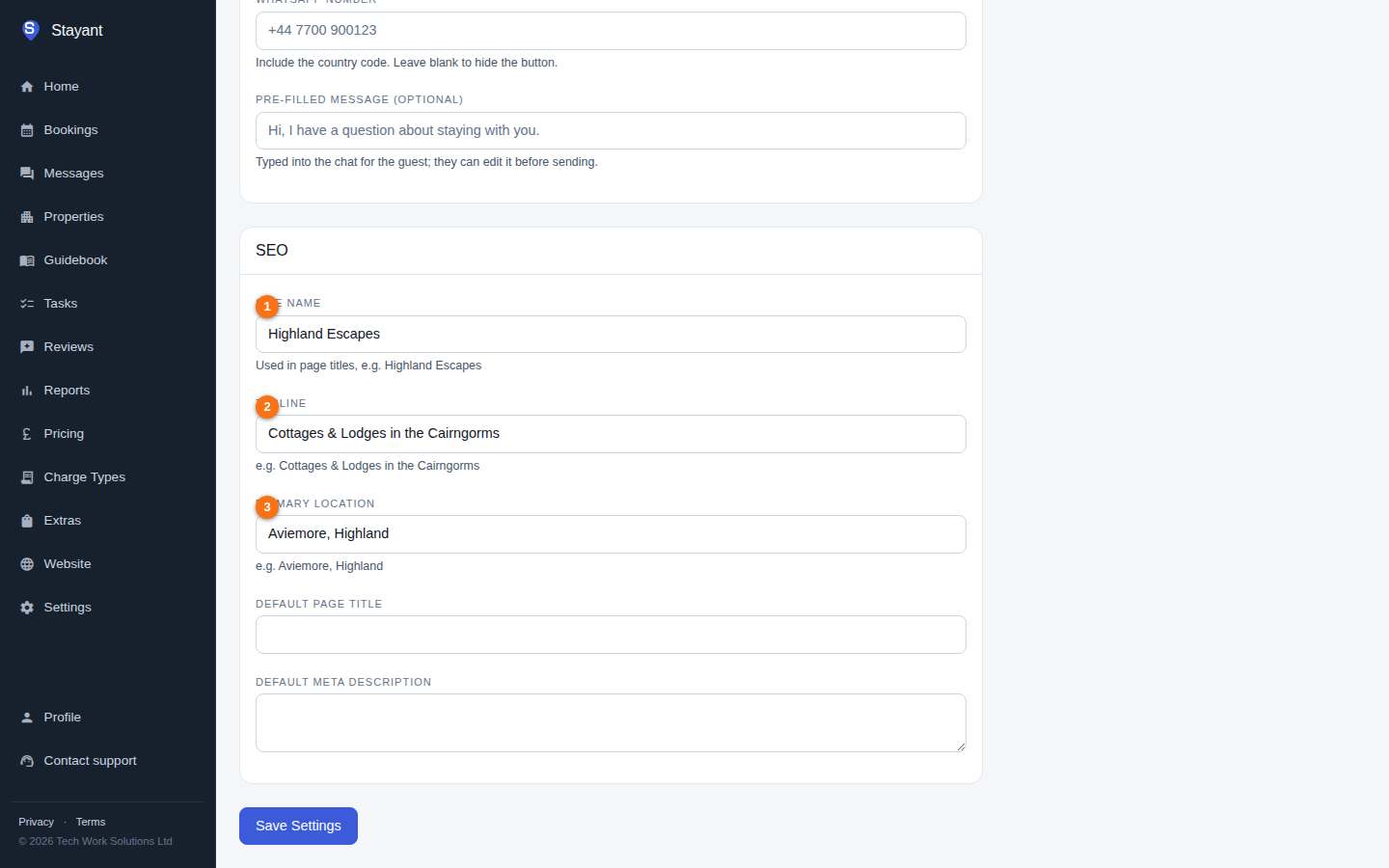
① Site name, ② Tagline and ③ Primary location sit at the top of the SEO card.
| Setting | What it's for | Example |
|---|---|---|
| Site name | The name of your business as guests know it. It appears in every page title, in the header and footer, and in share previews. | Highland Escapes |
| Tagline | A short line about what you offer. Used in your home page title when it fits. | Cottages & Lodges in the Cairngorms |
| Primary location | The town and county or region you want to be found for. Used in titles and descriptions, and in the line above your home page headline. | Aviemore, Highland |
You can leave all three blank:
- With no Site name, your site uses the name at the start of your home page's title (if it matches your business name), or else your business name. The box shows the name in use, greyed out.
- With no Primary location, your site uses the town and region most of your properties are in, from each property's Location. Only the town and region are ever used, never a street address.
Changes show on your site within a few minutes.
Page titles
Each page gets a title of up to 60 characters, which is about as much as Google shows. Every title includes your site name, so searchers always see who you are, and each page has a title of its own.
| Page | Title looks like |
|---|---|
| Home | Highland Escapes | Cottages & Lodges in the Cairngorms |
| A property | Mountain View Lodge – 4-Bed Lodge | Highland Escapes |
| Properties | Holiday Cottages & Lodges in Highland | Highland Escapes |
| Location, Things to Do, FAQs, Contact | Things to Do Near Aviemore | Highland Escapes |
| Any other page | Page name | Highland Escapes |
When a title would be too long, your site shortens the location first (to just the county or just the town), then leaves it out. It never drops your site name.
Your own titles still win. If you've typed a meta title in a page's settings, your site uses it. If it's longer than 60 characters, it's cut after the last whole word that fits, and your site name is added if it's missing and there's room.
Descriptions
The description is the line or two under the title in search results. Each page gets one of 70 to 160 characters that ends at a full stop, never with "…".
- Property pages describe the property: what it is, how many it sleeps, its bedrooms, where it is and two of its amenities, ending with Book direct with Highland Escapes.
- Other pages use the description you typed in the page's settings. If that's longer than 160 characters, your site keeps whole sentences up to the limit. If it's missing or very short, your site writes one from your site name, location and properties.
One main heading per page
Search engines look for one main heading (an H1) on each page. Your site now makes sure there's exactly one:
- On your home page, the big headline in your top banner stays exactly as you wrote it. A small line above it becomes the main heading, for example Holiday Cottages & Lodges near Aviemore, Highland. With no location it reads Holiday Cottages & Lodges at Highland Escapes.
- If a page has two blocks whose heading size is set to the largest (H1), the first keeps it and later ones become the next level down while keeping their look. A large heading typed into a text block becomes a sub-heading.
- If a page has no main heading at all, your site adds one with the page's name for search engines. Visitors don't see it.
Share previews
When someone shares a link to your site on WhatsApp, Facebook, X or in a text, the preview shows the page title, its description and a photo. The photo is the page's own (a property's first photo, or the first banner or image on a page), else your home page banner photo, else your logo.
Browser icon
Your site serves its own browser-tab icon at /favicon.ico, which is where Google and browsers
look for it. It's made from the Favicon you uploaded under Branding, or your Logo if
you haven't uploaded one. With neither, the icon shows your site's initials on your primary
colour. When you have a favicon or logo, a larger icon is also made for when someone adds your
site to an iPhone home screen.
Related
- How search engines find your booking site — sitemap, robots.txt and your main address.
- Settings & custom domain — the rest of Website Settings.