Invoice settings
Customise what appears on the invoices Stayant generates.
Open Settings → Invoice settings (/settings/invoice).
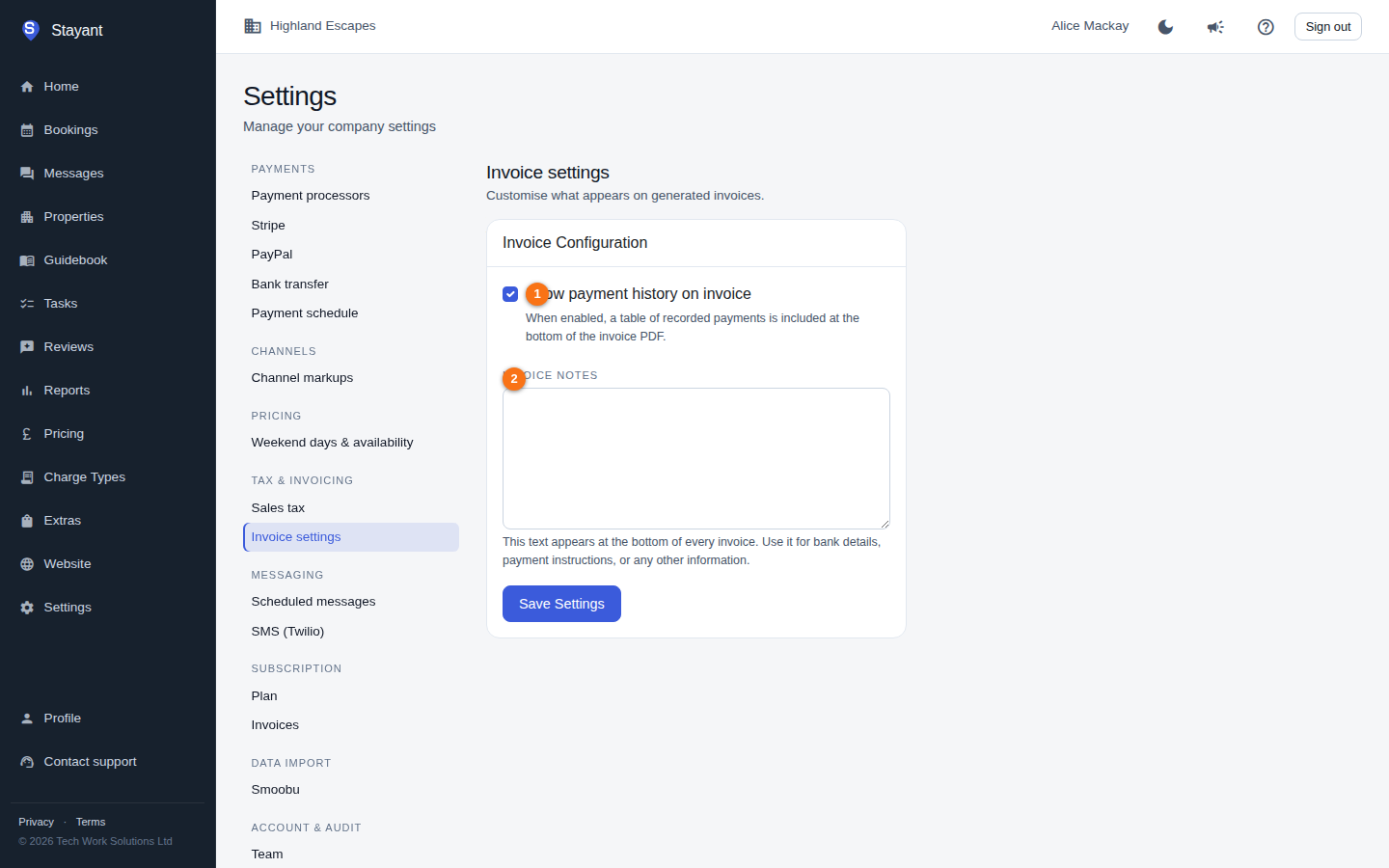
Options
In the Invoice Configuration card:
- Show payment history on invoice (①) — when ticked, a table of recorded payments is included at the bottom of the invoice PDF. Turn it off to leave payments off the document.
- Invoice Notes (②) — free text that appears at the bottom of every invoice you send your guests. Use it for bank details, payment instructions, or any other standing message. A live Preview (③) of the note text appears below the field once you've typed something. Your notes don't appear on the subscription invoices Stayant sends you.
Click Save Settings to apply.
This page covers invoice notes and the payment-history table only. It does not include fields for company name, address, logo, or invoice numbering — those aren't configured here. Any company or payment details you want on the invoice can be added through the Invoice Notes field.