Embeddable booking widget
If you already have your own website, you don't have to use Stayant's hosted pages — you can embed a booking widget that lets guests search availability and book directly from your site. Find it under Website → Embed widget card, or at /website/embed.
The widget is an <iframe> that loads your public booking pages, so it works on WordPress, Wix, Squarespace, or any site where you can paste HTML.
Before you start
The widget loads from your site's public address, so you need that set up first:
- If your site has no public address yet, you'll be prompted to set a custom domain or publish your Stayant site under Website Settings.
- If your site exists but isn't published, you can still copy the snippet now, but guests won't be able to open the widget until you publish.
Configure the widget
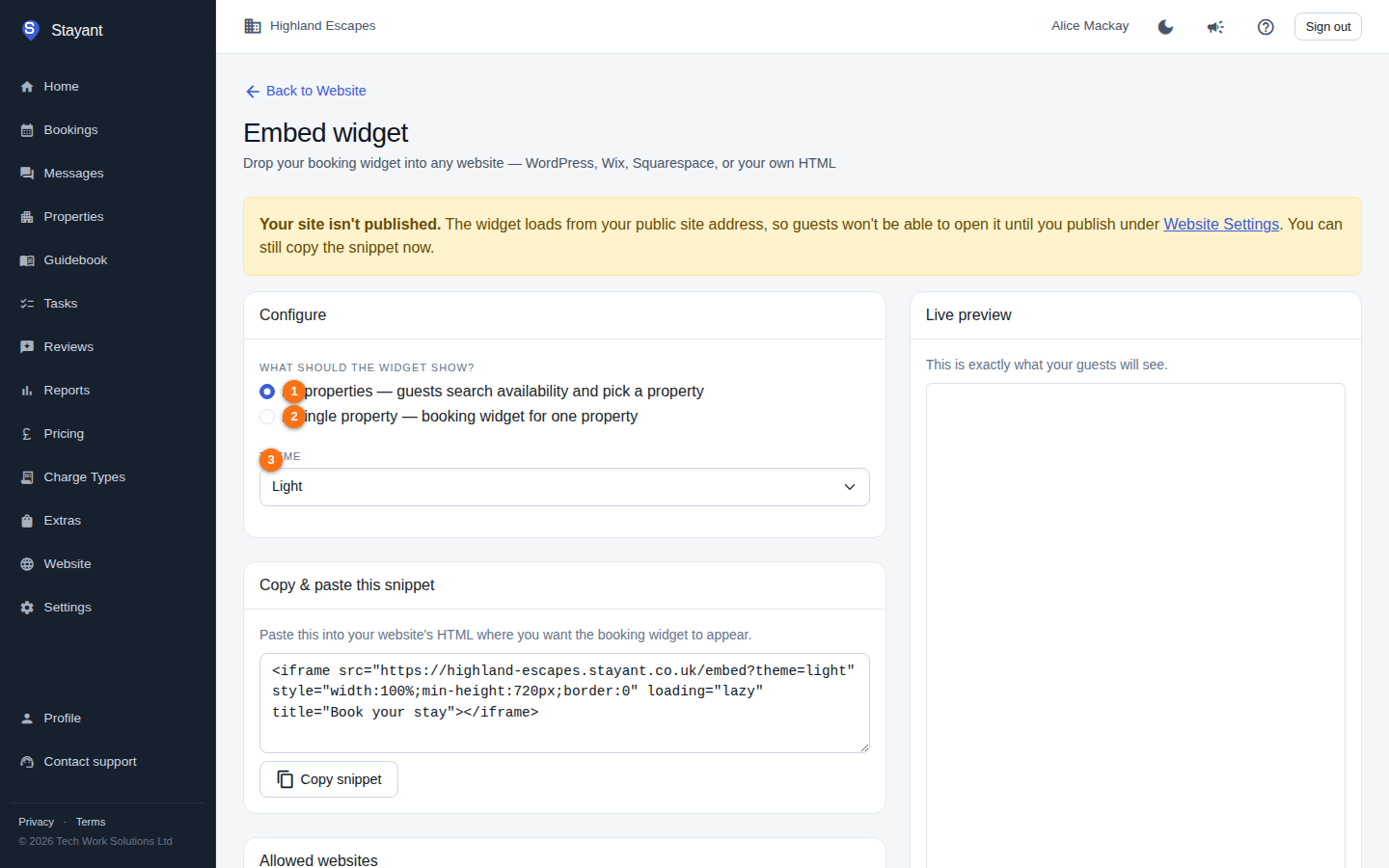
- What should the widget show?
- All properties (①) — guests search availability and pick a property.
- A single property (②) — a booking widget for just one property. Choosing this reveals a Property dropdown (active properties only).
- Theme (③) — Light or Dark, to match your site.
Copy the snippet
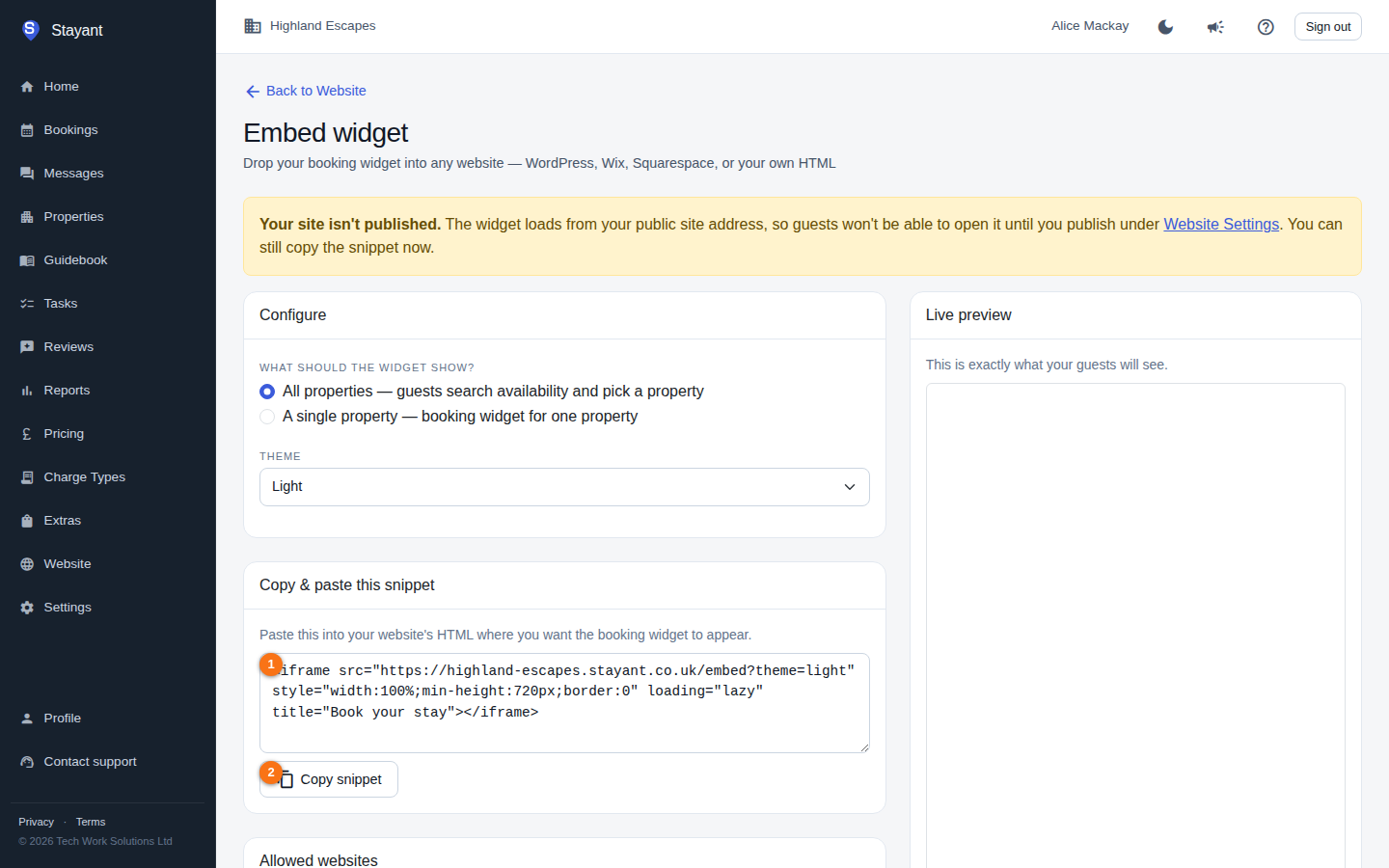
The Copy & paste this snippet box (①) shows the exact <iframe> code, which updates live as you change the options above. Click Copy snippet (②; you'll see "Copied!") and paste it into your website's HTML where you want the widget to appear. The snippet is a responsive, lazy-loaded iframe with a sensible minimum height for the results list.
Behind the scenes the widget loads /embed on your public site (or /embed/<property> for a single property) — the same booking experience as your hosted pages.
Restrict which websites can embed it (optional)
Under Allowed websites you can list the domains permitted to embed your widget — one per line (for example www.mysite.com). Click Save allowed websites to apply.
- Leave it blank and any website can embed your widget (you'll see a warning noting this).
- Add domains and only those sites may frame the widget.
Once you save an allow-list, the in-page Live preview turns off — your own allow-list blocks the management app from framing the widget. Use the Open the widget in a new tab link instead to preview it. With no allow-list saved, the live preview shows exactly what guests will see.