Deleting a property, room, or rate plan
Stayant lets you permanently delete a property, a room, or a rate plan — but only when it has never been used for a booking. If a room or rate plan has ever been booked, you deactivate it instead, which keeps your booking history intact. A property that has ever had a booking can't be deleted or deactivated from the app.
When Delete is available
The Delete action only appears for a property, room, or rate plan that has never had a booking — not even a cancelled one. This keeps your records honest: anything tied to a real booking can't be erased.
- Never booked → Delete is shown. Choosing it permanently removes the item.
- Has any booking → Delete is hidden. For a room or rate plan, use Deactivate instead (see below). A property with bookings has no Delete or Deactivate button — to stop taking bookings for it, block its dates instead (see Blocking dates & managing availability).
To delete a property, open it from the Properties list with its Details button (on a phone, tap its row) — the Delete button is in the property's header, next to its status. Room Delete buttons live on the property's Rooms tab. Rate-plan Delete buttons sit with that room's rate-plan list: on the Rooms tab for a multi-room property, or on the General tab for a single-room one.
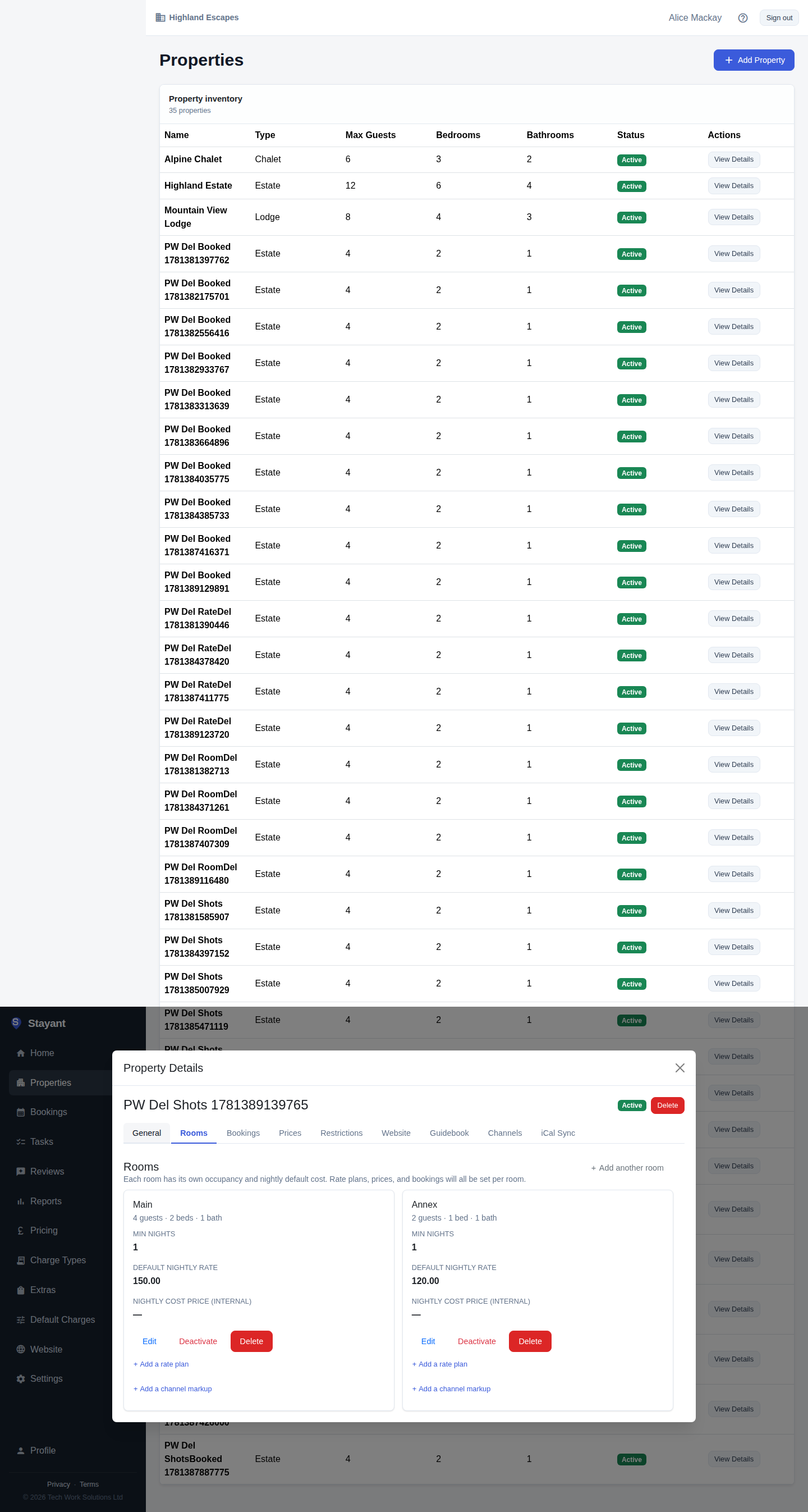
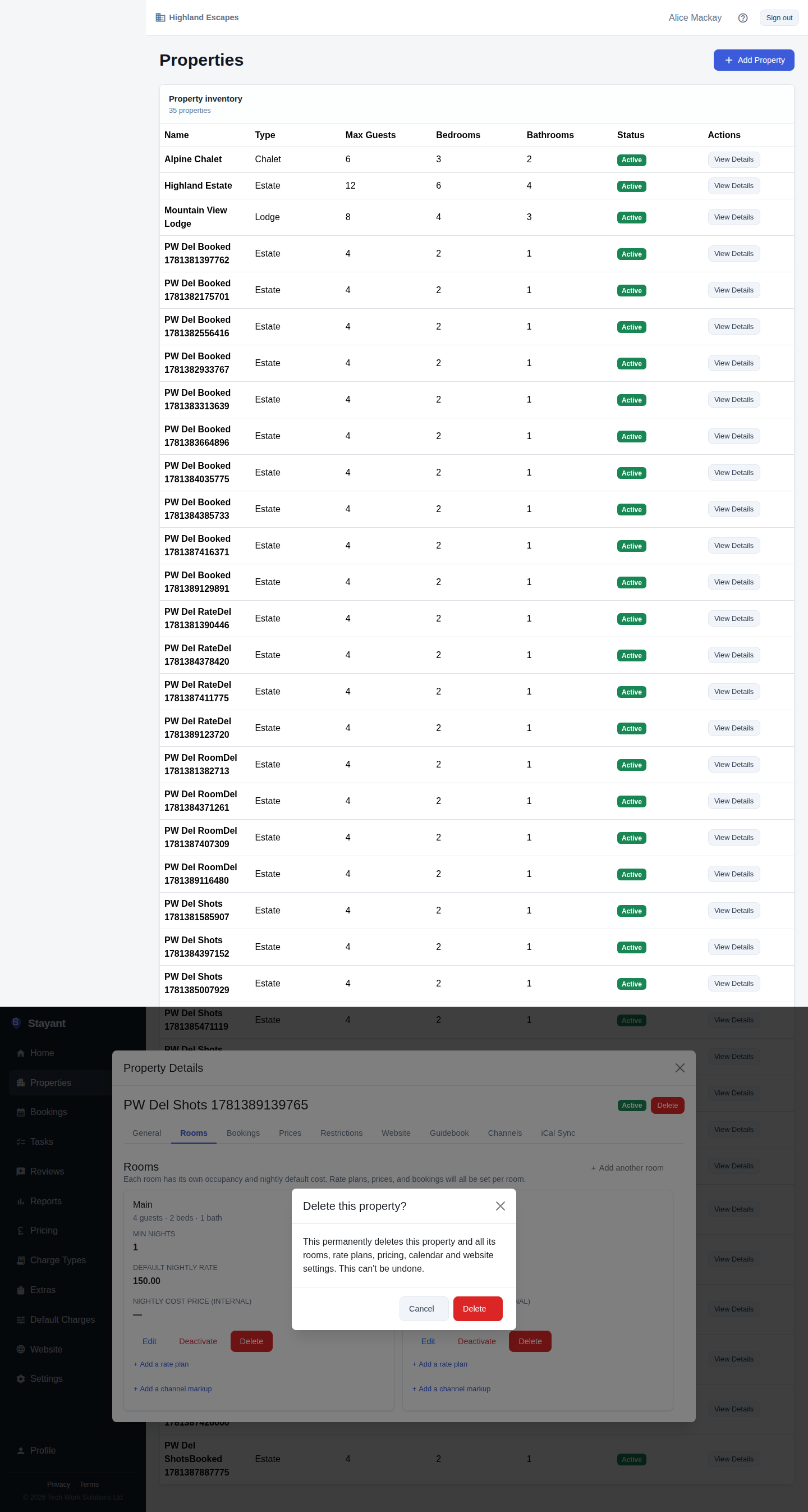
When you choose Delete, a confirmation dialog warns you what will be removed before anything happens — there is no undo, so read it before confirming. (For a property, the full list of what goes is under What gets removed when you delete a property below.)
When to deactivate instead
If a room or rate plan has ever taken a booking, you'll see Deactivate rather than Delete. Deactivating hides the item from new bookings and your public site while preserving all of its booking history, pricing, and reporting. Nothing is lost — you can reactivate it later.
If you use a channel manager, deactivating also closes the room or rate plan on your connected channels, so it stops selling on Booking.com, Airbnb and the rest. A deactivated room has its availability set to zero; a deactivated rate plan is stop-sold. Reactivating re-opens it on those channels with its current availability, rates and restrictions.
Reach for Deactivate whenever you simply want to stop offering something. Reach for Delete only to clean up an item you created by mistake and never used.
The "last active" rule for rooms and rate plans
Even when an item has never been booked, Delete is disabled in one more case — when it's the last active one of its kind:
- A property must always keep at least one active room, so you can't delete (or deactivate) the only active room.
- A room must always keep at least one active rate plan, so you can't delete (or deactivate) the only active rate plan on a room.
Add another room or rate plan first, then the delete control becomes available on the one you want to remove.
What gets removed when you delete a property
Deleting a property is a deep delete — it also removes everything that belongs to that property:
- its rooms
- its rate plans
- its pricing (default rates, seasonal and weekend overrides, calendar prices)
- its calendar (availability and blocks)
- its website settings (the public-site configuration for that property)
- its photos, FAQs and guidebooks
- its reviews and website analytics
- its operational tasks, its charges, and its extras assignments
- its team-member property assignments
- its channel-manager links — the matching property, room types and rate plans are removed from Channex too
Because the property never had a booking, there's no booking history to worry about — but everything above is gone for good.
Deletion is permanent
Delete cannot be undone. There is no trash or recycle bin, and deleted properties, rooms, and rate plans are not recoverable. If you're unsure whether you'll need an item again, deactivate it instead of deleting it.
Common gotchas
- No Delete option? The item has had a booking at some point — for a room or rate plan, use Deactivate instead, or check that it isn't the last active room or rate plan. A property with bookings can't be removed.
- Delete is greyed out. It's the last active room on the property, or the last active rate plan on the room. Add another first.
- Deactivate keeps history; Delete erases it. When in doubt, deactivate.